Building Project Types
Below is a list of common projects. Click on the project you are interested in to find out which permit you need, what documents are required and how to apply.


Installing an electric vehicle charger? The City of Pinole now offers INSTANT permits for qualifying residential EV charger installations. Eligible projects may receive instant plan review approval through the City’s Instant Permitting portal (Symbium), helping you get your permit issued faster with built-in compliance checks.

Apply for an Instant Permit today!

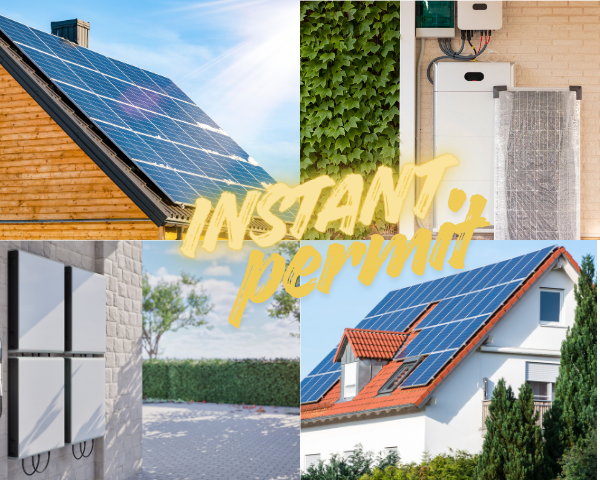
Installing rooftop solar and/or battery storage? The City of Pinole now offers INSTANT permits for qualifying residential solar and battery storage projects. Eligible projects may receive instant plan review approval through the City’s Instant Permitting portal (provided by our partner, Symbium), helping streamline the permitting process and reduce review timelines.

Apply for an Instant Permit today!

Upgrading or replacing your electrical service panel? The City of Pinole now offers INSTANT permits for qualifying residential service panel upgrades and replacements. Eligible projects may receive instant plan review approval through the City’s Instant Permitting portal (provided by our partner, Symbium), helping you get your permit issued faster.

Apply for an Instant Permit today!

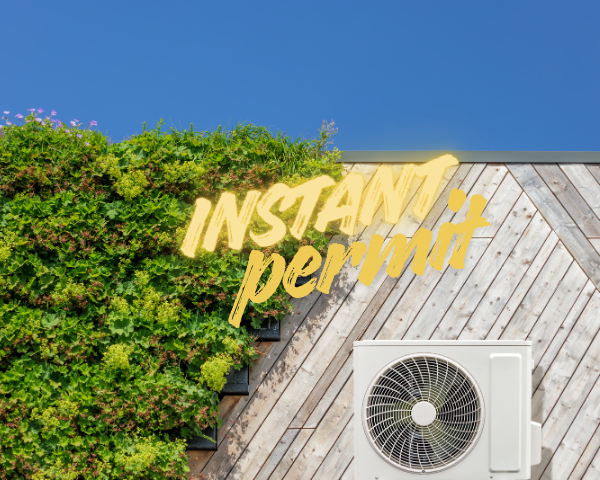
Replacing your HVAC system? The City of Pinole now offers INSTANT same-day permits for qualifying residential HVAC replacements to support home electrification—such as installing a heat pump or mini-split system—including gas-to-electric conversions and electric-to-electric replacements. Eligible projects may receive instant plan review approval through the City’s Instant Residential Energy Permitting portal. In addition to same-day approval and a simplified, fully online process, rebates may be available to help make your project more affordable—including federal, state, and regional incentives, as well as Pinole’s local rebates through the Pinole Energy Enhancement Rebate (PEER) Program.

Apply for an Instant Permit today!

Replacing your water heater? The City of Pinole now offers INSTANT same-day permits for qualifying residential water heater replacements to incentivize electrification—specifically gas-to-electric conversions and electric-to-electric replacements. Eligible projects may receive instant plan review approval through the City’ Instant Residential Energy Permitting. In addition to same-day approval for qualifying projects and a simplified, fully online process, rebates may be available to help make your project more affordable—including federal, state, and regional incentives, as well as Pinole’s local rebates through Pinole’s Energy Enhancement Rebate Program. 

Apply for an Instant Residential Energy Project Permit today!

Important Note:

Residential gas-to-gas replacement (like-for-like) HVAC and water heater permits are not eligible for Instant Permitting and must be submitted through the City’s e-TRAKiT system. The City is working to make this permit type available in e-TRAKiT as soon as possible. In the meantime,  please email Chief Building Official Keith Marks to apply for this permit type.

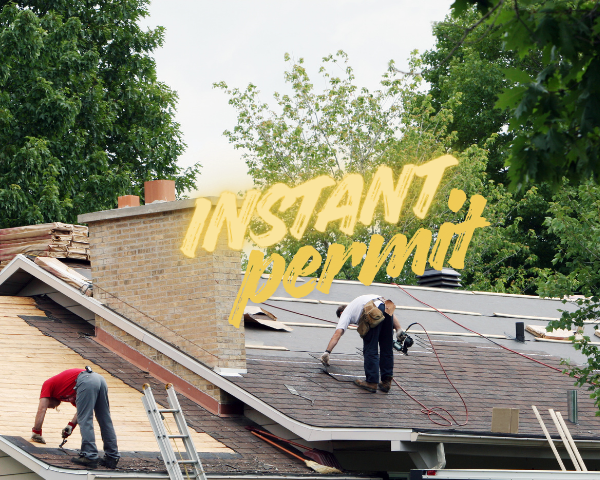
Replacing your roof? The City of Pinole now offers INSTANT permits for qualifying residential reroof projects. Eligible projects may receive instant plan review approval through the City’s Instant Permitting portal (provided by our partner, Symbium), allowing you to obtain your permit same day—completely online—and reduce resubmittals.

Apply for an Instant Permit today!

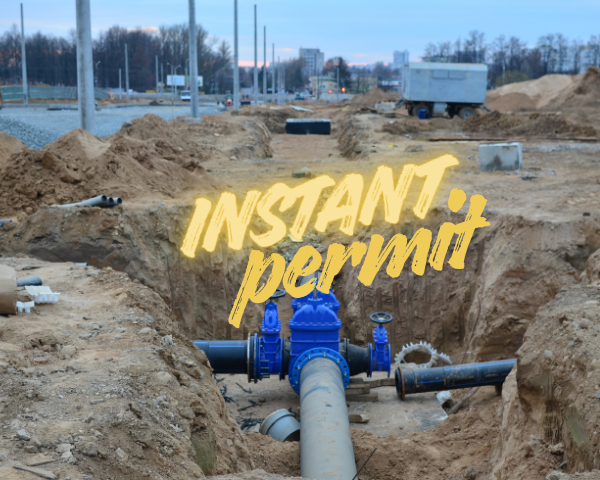
Installing or replacing a residential water distribution line? The City of Pinole now offers INSTANT permits for qualifying projects. Eligible projects may receive instant plan review approval through the City’s Instant Permitting portal (provided by our partner, Symbium), helping reduce review timelines and simplify the permitting process.

Apply for an Instant Permit today!

Installing or replacing a residential water main line? The City of Pinole now offers INSTANT permits for qualifying projects. Eligible projects may receive instant plan review approval through the City’s Instant Permitting portal (provided by our partner, Symbium), helping streamline the process and reduce review time.

Apply for an Instant Permit today!

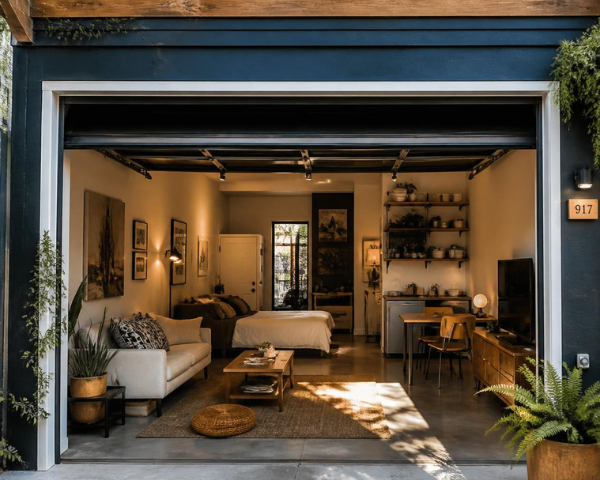
An Accessory Dwelling Unit (ADU) is a great way to add affordable housing to our community. ADUs come in many shapes and forms and can be as simple as converting an existing habitable room or garage to a junior accessory dwelling unit (JADU). They can be attached to a house as a converted crawlspace or a newly constructed addition. The planning division conducts concurrent ADU building permit plan check and a separate Planning application is not required. To obtain size, parking requirements, setback information, etc. refer to Pinole Municipal Code Chapter 17.70, and ADU and JADU Development Standards Handout.

Please note that a Building Permit will not be issued until the existing sewer lateral has been inspected, or proof of issuance of a valid sewer lateral certificate of compliance is provided.  If the sewer lateral is found to be defective, the property owner will be required to repair the lateral prior to connecting the ADU to the existing sewer lateral. If constructing a detached ADU, please note that the inspection is required along with the submission of a Private Sewer Lateral Permit to install a new sewer lateral from the ADU to the existing sewer lateral.  More information can be found on the Public Works webpage or by calling staff at (510) 741-2065.

eTRAKiT Type. This is the Permit Type you select under Permit Type Information.

  • Accessory Dwelling Unit

eTRAKiT Subtypes. Next, select the proper Permit Subtype under Permit Type Information, depending on whether the ADU is Attached, Detached, or a Junior ADU.

  • An ADU is a dwelling unit on the same parcel as a primary single-family or multifamily dwelling containing complete independent living facilities including permanent facilities for sleeping, living, eating, cooking, and sanitation.
  • A JADU is a dwelling unit contained entirely within a single-family residence and is no greater than 500 square feet. Sanitation facilities may be provided in the unit or shared with the residence.

If you are converting a detached garage to an ADU select ADU Detached. For interior living space conversions and attached garage conversions, the subtype will either be an ADU Attached or a Junior ADU, depending on size and if it will have cooking or bathing facilities. Please contact the Planning Division at PlanningQuestions@pinole.gov if you have questions about which subtype to select.

  • ADU Attached
  • ADU Detached
  • Junior ADU

Requirements, Documentation and Attachments

We’ve provided a list below of what you’ll need to submit with your application when you apply online. Make sure to upload all of the required documents. If your application is not complete, this will extend the time it takes to issue your permit.

  • Complete set of plans, including:
    • Cover Sheet, Index and Site Plan. Site plan shows all structures on the property, property lines, proposed location for the ADU or JADU and setbacks from property lines.
    • Floor plans showing all electrical, plumbing, and mechanical for each level.
    • Foundation plan if applicable.
    • Elevation views of exterior.
    • Framing for floor, walls, roof (include sections with details).
    • Structural Calculations if applicable
  • Title 24 Documentation
  • A completed, notarized ADU Development Restriction Form
  • A completed Address Assignment Application
  • A completed Submittal/Resubmittal Form
  • Contractor or Owner-Builder Declarations (required for all projects). Note that the Owner-Builder Declaration must be signed by the Property Owner electronically in docusign via the secure link above.
  • Accurate Valuation including total value of the work for which a permit is being issued, such as electrical, gas, mechanical, plumbing equipment, and other permanent systems, including materials and labor
  • At final, a Self-Certification Affidavit for Smoke Detectors and Carbon Monoxide Alarms completed by the property owner (residential properties only)

You need a building permit if you are building a structure that is separate from your house, like:

  • Garages and carports (detached and attached)
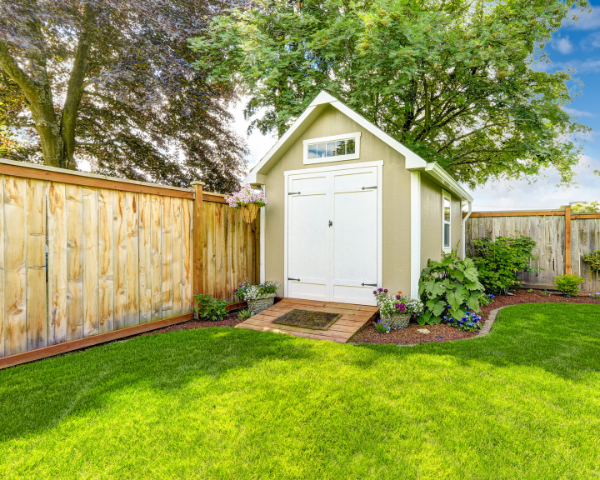
  • Detached buildings, like a home office, workshop or studio
  • Storage buildings
  • Large play houses

Residential accessory structures are subject to zoning requirements for lot coverage and setback requirements. Some accessory structures don’t need permits, like sheds or playhouses. To be exempt from permits, they need to be:

  • 1-story
  • Less than 7 feet in height
  • Detached
  • The floor area is less than 120 square feet

If your structure has a cooking and sleeping area, you may need an Accessory Dwelling Unit permit instead.

Please note that a Building Permit will not be issued until the existing sewer lateral has been inspected, a private sewer lateral permit to repair/replace the sewer lateral for the main residence is approved or proof of issuance of a valid sewer lateral certificate of compliance is provided.

eTRAKiT Type. This is the Permit Type you select under Permit Type Information.

  • Accessory Structure.

eTRAKiT Subtypes. Next, select the proper Permit Subtype under Permit Type Information. Your options are:

  • Detached Structure- No Utilities
  • Detached Structure- With Utilities

Requirements, Documentation and Attachments

We’ve provided a list below of what you’ll need to submit with your application when you apply online. Make sure to upload all the required documents. If your application is not complete, this will extend the time it takes to issue your permit.

  • Complete set of plans, including:
    • Cover Sheet and Index
    • Site plan showing all structures on the property, property lines, proposed location for the accessory structure which includes setbacks from property lines and adjoining structures.
    • Floor plans showing any electrical, plumbing, or mechanical to be installed.
    • Foundation plan, if applicable
    • Elevation views of exterior
    • Framing for floor, walls, roof (include sections with details)
    • Structural details to include framing, hangers, attachments, drywall if installed, etc
  • Structural Calculations, if applicable.
  • Geotechnical Report, if applicable (i.e., for structures subject to a surcharge)
  • A completed Submittal/Resubmittal Form
  • Contractor or Owner-Builder Declarations (required for all projects). Note that the Owner-Builder Declaration must be signed by the Property Owner electronically in docusign via the secure link above.
  • Accurate Valuation including total value of the work for which a permit is being issued, such as electrical, gas, mechanical, plumbing equipment, and other permanent systems, including materials and labor
  • At final, a Self-Certification Affidavit for Smoke Detectors and Carbon Monoxide Alarms completed by the property owner (residential properties only)

eTRAKiT Type. This is the Permit Type you select under Permit Type Information.

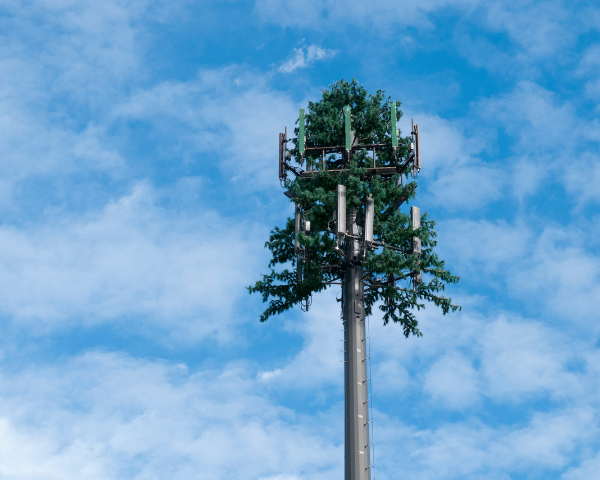
  • Cell Site

eTRAKiT Subtypes. Next, select the proper Permit Subtype under Permit Type Information. Your options are:

  • Modification or replacement
  • New

Requirements, Documentation and Attachments

We’ve provided a list below of what you’ll need to submit with your application when you apply online. Make sure to upload all of the required documents. If your application is not complete, this will extend the time it takes to issue your permit.

  • Complete set of plans, including:
    • Cover Sheet and Index
    • Site plan showing all structures on the property, property lines, proposed location for the accessory structure which includes setbacks from property lines and adjoining structures.
    • Floor plans showing any electrical, plumbing, or mechanical to be installed.
    • Foundation plan, if applicable
    • Elevation views of exterior
    • Framing for floor, walls, roof (include sections with details)
    • Structural details to include framing, hangers, attachments, drywall if installed, etc
    • Complete set of plans
    • Radiofrequency – Electromagnetic Energy Compliance Report (RF-EME Report)
    • A completed Submittal/Resubmittal Form
    • Contractor or Owner-Builder Declarations (required for all projects). Note that the Owner-Builder Declaration must be signed by the Property Owner electronically in docusign via the secure link above.
    • Accurate Valuation including total value of the work for which a permit is being issued, such as electrical, gas, mechanical, plumbing equipment, and other permanent systems, including materials and labor
    • At final, a Self-Certification Affidavit for Smoke Detectors and Carbon Monoxide Alarms completed by the property owner (residential properties only)


Are you planning improvements or modifications to existing commercial facilities? Structural additions that change the exterior of the building require Design Review from the Planning Division. New signage requires a planning-level Sign Permit for evaluation of the design followed by a Building Permit for building code compliance review and the installation. Planning approval should be granted before applying for a building permit.

Commercial renovation projects that involve a change in use may require a Conditional Use Permit first. To discuss your project with a planner, contact planningquestions@pinole.gov.

Please note that a Building Permit will not be issued until the existing sewer lateral has been inspected, a Private Sewer Lateral Permit to repair/replace the sewer lateral for the main residence is approved or proof of issuance of a valid sewer lateral certificate of compliance is provided.

eTRAKiT Types and Associated Subtypes

  • eTRAKiT Type: CMU Wall
    • Associated Subtypes:
      • Over 6 feet
      • Under 6 feet
  • eTRAKiT Type: Commercial Pool and Spa
    • Associated Subtypes:
      • New
      • Repair or replacement
  • eTRAKiT Type: Sign
    • Associated Subtypes: 
      • Building mounted and freestanding
      • Building mounted only
      • Freestanding only
  • eTRAKiT Type: Commercial Tenant Improvement or Addition
    • Associated Subtypes: 
      • Tenant improvement and addition – all other
      • Tenant improvement and addition – food establishments
      • Tenant improvement only – all other
      • Tenant improvement only – food establishments
  • eTRAKiT Type: Commercial Trash Enclosure
    • Associated Subtypes:
      • Alteration
      • New

Requirements, Documentation and Attachments

We’ve provided a list below of what you’ll need to submit with your application when you apply online. Make sure to upload all of the required documents. If your application is not complete, this will extend the time it takes to issue your permit.

  • Complete set of plans, including:
    • Cover Sheet and Index
    • Overall Site Plan / Floor plan to show location of work
    • Existing and Proposed Floor Plans
    • Existing and Proposed Elevations
    • Interior Elevations
    • Sections, details, notes required to describe the scope of work
    • Accessibility Drawings (ADA Parking, Path of Travel, ADA Bathroom, etc)
    • RCP and Electrical Plans of remodeled areas
    • Structural drawings and calculations
    • Mechanical Drawings
    • Plumbing Drawings
  • Title 24 Nonresidential Energy Compliance Forms
  • A completed Submittal/Resubmittal Form
  • Contractor or Owner-Builder Declarations (required for all projects). Note that the Owner-Builder Declaration must be signed by the Property Owner electronically in docusign via the secure link above and note “Owner/Builder” Declarations are not allowed for commercial projects.
  • Accurate Valuation including total value of the work for which a permit is being issued, such as electrical, gas, mechanical, plumbing equipment, and other permanent systems, including materials and labor
  • At final, a Self-Certification Affidavit for Smoke Detectors and Carbon Monoxide Alarms completed by the property owner (residential properties only)

Fire Review May be Required

Commercial Tenant Improvements and new Trash Enclosures require Fire Review During plan review, if it is determined that fire review is required, your plans will be routed to the Contra Costa Fire Department (ConFire) for a life/safety plan check, and you will be informed by email that you need to initiate payment separately to ConFire.  ConFire will not begin their plan check until all required plan check fees are collected directly by ConFire. You can make payment online, via mail or in person.

  1. First calculate fees due using their Commercial or Residential Engineering Fees Schedule. To confirm fees you can email permittech@cccfpd.org.
  2. To submit fees you may use their portal, mail in payment via check or credit card authorization form or come in person Monday – Friday from 8am-5pm (Contra Costa County Fire Protection District 4005 Port Chicago Hwy, Suite 250 Concord, CA 94520).
  3. For a credit card authorization form, or any other questions, call ConFire at 925-941-3300 and talk to the operator. You can also email info@cccfpd.org.

Separate Fire Permit May Be Required

Additionally, your project may require a separate permit from ConFire if it involves project components that need to be individually permitted, such as a fire alarm systems, sprinkler systems, fire hydrants, and deferred submittals. To initiate the permitting process you must submit an application and all required fees directly to ConFire. You can submit and make payment online, via mail or in person.

  1. First determine and complete the applicable forms required
  2. Next, calculate fees due using their Commercial or Residential Engineering Fees Schedule. To confirm fees you can email permittech@cccfpd.org.
  3. To submit application and fees you may use their portal, mail in application and payment via check or credit card authorization form or come in person Monday – Friday from 8am-5pm (Contra Costa County Fire Protection District 4005 Port Chicago Hwy, Suite 250 Concord, CA 94520).

For a credit card authorization form, or any other questions, call ConFire at 925-941-3300 and talk to the operator. You can also email info@cccfpd.org.

If you want to build a new commercial building, you need approval of a Design Review application from the Planning Division. Once you have approval, you may apply for a building permit.

Please note that a Building Permit will not be issued until the existing sewer lateral has been inspected, a Private Sewer Lateral Permit to repair/replace the sewer lateral for the main residence is approved or proof of issuance of a valid sewer lateral certificate of compliance is provided.

eTRAKiT Type. This is the Permit Type you select under Permit Type Information.

  • Commercial (new construction)

eTRAKiT  SubType. Next, select the proper Permit Subtype under Permit Type Information. Your option is:

  • Commercial new shell building

Requirements, Documentation and Attachments

We’ve provided a list below of what you’ll need to submit with your application when you apply online. Make sure to upload all of the required documents. If your application is not complete, this will extend the time it takes to issue your permit.

  • Complete set of plans, including:
    • Cover Sheet and Index
    • Overall Site Plan / Floor plan to show location of work
    • Existing and Proposed Floor Plans
    • Existing and Proposed Elevations
    • Interior Elevations
    • Sections, details, notes required to describe the scope of work
    • Accessibility Drawings (ADA Parking, Path of Travel, ADA Bathroom, etc)
    • RCP and Electrical Plans of remodeled areas
    • Structural drawings and calculations
    • Mechanical Drawings
  • Plumbing Drawings
  • Structural calculations
  • Title 24 energy report
  • A completed Submittal/Resubmittal Form
  • Contractor or Owner-Builder Declarations (required for all projects). Note that the Owner-Builder Declaration must be signed by the Property Owner electronically in docusign via the secure link above– note “Owner/Builder” Declarations are not allowed for commercial projects)
  • Accurate Valuation including total value of the work for which a permit is being issued, such as electrical, gas, mechanical, plumbing equipment, and other permanent systems, including materials and labor
  • At final, a Self-Certification Affidavit for Smoke Detectors and Carbon Monoxide Alarms completed by the property owner (residential properties only)

Fire Review Required

Fire review is required for all new commercial buildings. During plan review, if it is determined that fire review is required, your plans will be routed to the Contra Costa Fire Department (ConFire) for a life/safety plan check, and you will be informed by email that you need to initiate payment separately to ConFire. ConFire will not begin their plan check until all required plan check fees are collected directly by ConFire. You can make payment online, via mail or in person.

  1. First calculate fees due using their Commercial or Residential Engineering Fees Schedule. To confirm fees you can email permittech@cccfpd.org.
  2. To submit fees you may use their portal, mail in payment via check or credit card authorization form or come in person Monday – Friday from 8am-5pm (Contra Costa County Fire Protection District 4005 Port Chicago Hwy, Suite 250 Concord, CA 94520).
  3. For a credit card authorization form, or any other questions, call ConFire at 925-941-3300 and talk to the operator. You can also email info@cccfpd.org.

Separate Fire Permit May Be Required

Additionally, your project may require a separate permit from ConFire if it involves project components that need to be individually permitted, such as a fire alarm systems, sprinkler systems, fire hydrants, and deferred submittals. To initiate the permitting process you must submit an application and all required fees directly to ConFire. You can submit and make payment online, via mail or in person.

  1. First determine and complete the applicable forms required
  2. Next, calculate fees due using their Commercial or Residential Engineering Fees Schedule. To confirm fees you can email permittech@cccfpd.org.
  3. To submit application and fees you may use their portal, mail in application and payment via check or credit card authorization form or come in person Monday – Friday from 8am-5pm (Contra Costa County Fire Protection District 4005 Port Chicago Hwy, Suite 250 Concord, CA 94520).
  4. For a credit card authorization form, or any other questions, call ConFire at 925-941-3300 and talk to the operator. You can also email info@cccfpd.org.

The City will not issue a Building Permit until approval from ConFire has been received.

Other Permits May Be Required

Depending on the nature of your project, you may need to get other permits, like:

  • Solar PV systems
  • Temporary Power Pole/Back-up Power (a subtype of Residential Electrical Permit Type)
  • A Public Works Encroachment Permit may be required for the following, including but not limited to: driveway approaches (curb cuts), sidewalks, work in city easements, concrete flatwork, temporary storage containers, debris boxes, landscaping adjacent to the sidewalk, etc.
  • Public Works Private Sewer Lateral Permits are required for sewer lateral video reviews, installation of new sewer lateral, replacement and/or repairs to sewer lateral. Please note that this may be required to apply for most building applications.
  • Temporary Construction Trailer
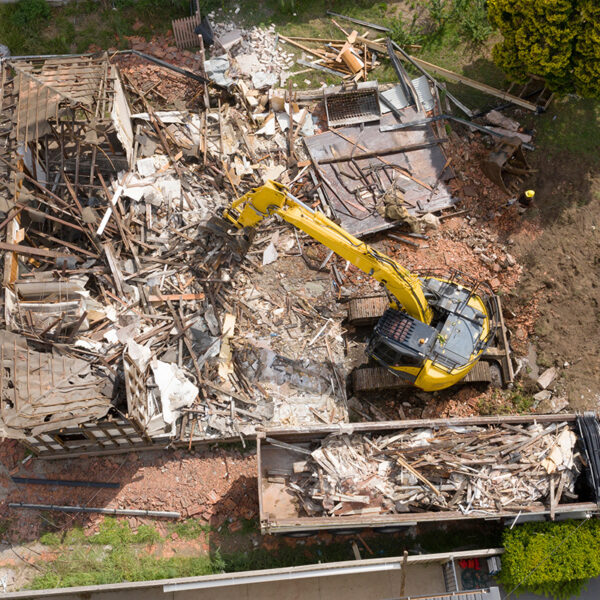
  • Demolition

Please reach out to the Planning Division (PlanningQuestions@pinole.gov) and Public Works Department (pwpermits@pinole.gov) early in project development to avoid delays and/or penalties.

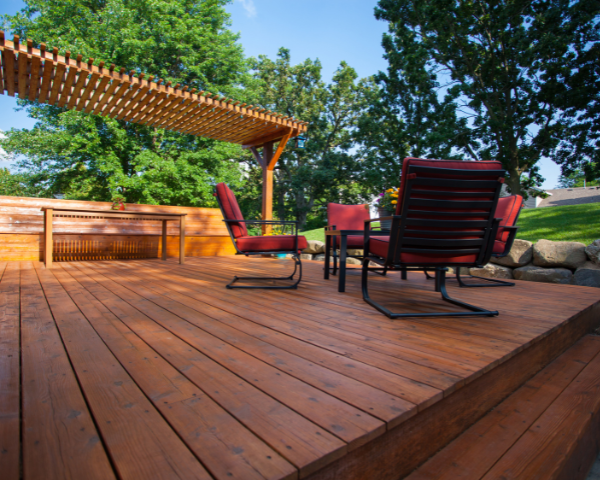
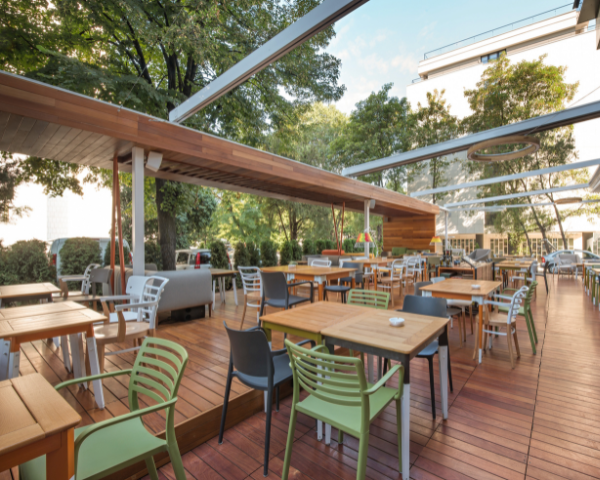
A Building Permit is required for new or renovated decks greater than one hundred (100) square feet in area, taller than thirty (30) inches above grade, or attached to your home. This permit also applies to balconies, if it is a stand-alone project and not part of a window or larger remodel project.

Deck projects and installation of patio covers generally do not require planning permits. However, they may be required to meet standards in the Zoning Code which will be verified by a planner during building permit review. To ensure a streamlined approach, contact planningquestions@pinole.gov to discuss your project prior to submitting a Building Permit application.

Please note that a Building Permit will not be issued until the existing sewer lateral has been inspected, a Private Sewer Lateral Permit to repair/replace the sewer lateral for the main residence is approved or proof of issuance of a valid sewer lateral certificate of compliance is provided.

eTRAKiT Type. This is the Permit Type you select under Permit Type Information.

  • Deck/Patio Cover

eTRAKiT Subtypes. Next, select the proper Permit Subtype under Permit Type Information. Your options are:

  • Addition
  • New
  • Replacement
  • Replacement and addition

Requirements, Documentation and Attachments

We’ve provided a list below of what you’ll need to submit with your application when you apply online. Make sure to upload all of the required documents. If your application is not complete, this will extend the time it takes to issue your permit.

  • Complete set of plans, including:
    • Cover Sheet and Index
    • Overall Site Plan. Site plans must be drawn to scale with job address, owners’ name, lot dimensions, setback distances from property lines, and to other structures.  Show location of all existing structures.  Provide a north arrow.
    • Foundation: Provide details on size, depth and location of post footings (12ʺ minimum depth).
    • Existing and Proposed Framing Plans. If the deck is to be attached to the residence, show size of ledger board, size of lag bolts, and spacing of lag bolts.  Show dimensions of all lumber, spacing of posts, and spacing of girders and joists.  If the deck is more than thirty inches above grade, a guardrail must be provided.  The guardrail must be a minimum of thirty‐six (36) inches high. If stairs are needed and there are four or more risers a handrail will be required.  It must be 34ʺ to 38ʺ measured from the nose of the tread.   If rails are to be used on either the guardrail or handrail they must be constructed so that a four‐inch sphere cannot pass through them.  Show details of all framing, guardrails, handrails and bracing.
    • Existing and Proposed Elevations
    • Sections, details, notes required to describe the scope of work
  • Structural drawings and calculations
  • A completed Submittal/Resubmittal Form
  • Contractor or Owner-Builder Declarations (required for all projects). Note that the Owner-Builder Declaration must be signed by the Property Owner electronically in docusign via the secure link above– note “Owner/Builder” Declarations are not allowed for commercial projects)
  • Accurate Valuation including total value of the work for which a permit is being issued, such as electrical, gas, mechanical, plumbing equipment, and other permanent systems, including materials and labor
  • At final, a Self-Certification Affidavit for Smoke Detectors and Carbon Monoxide Alarms completed by the property owner (residential properties only)

A Building Permit is not required to repair or replace a driveway, as long as the driveway is not more than 30 inches above adjacent grade, and not over any basement or story below and is not part of an accessible route. If you are doing any other work, including electrical, plumbing or mechanical, or constructing any structures, please contact the Building Division (BuildingQuestions@pinole.gov) to ensure that no Building Permits are required for your project prior to proceeding.

An Encroachment Permit is required for any construction activity work in the public right-of-way. This includes, but is not limited to, concrete flatwork (including driveway), roadway excavation, sidewalk excavation, storing/staging materials, and/or traffic control. An Encroachment Permit ensures that all applicable standards are followed and that work is done safely with minimal impact to nearby property, pedestrians, bicyclists, and motorist travel. Learn more about obtaining an Encroachment Permit by visiting the Public Works permitting webpage.

Important Note: Did you know that your property might not start at the sidewalk, and that the City’s right-of-way may extend into a portion of your front yard area? Before installing a new driveway, fence, or wall on your property, please take a moment to verify your property lines. Ensuring accurate boundaries helps avoid potential property line disputes and prevent costly adjustments that may be required in the future. We recommend consulting your property survey, contacting a professional surveyor, or contacting the Public Works Department (publicworks@pinole.gov) to confirm the location of your property lines. You view approximate property lines online. Taking these steps will ensure your future project is placed correctly and legally, providing peace of mind for years to come. Thank you for your attention to this important detail!

You need an electrical building permit if you are doing electrical work, like rewiring, repairing, or installing an electrical circuit.

If the scope of your project is limited to residential replacement in-kind (like-for-like) electrical work, you may consider using the Express Permit type which provides expedited approvals for the following residential like-for-like electrical subtypes:

  • Electric Service Panel Change Out
  • Photovoltaic Reinstall

Please note that a Building Permit will not be issued until the existing sewer lateral has been inspected, a Private Sewer Lateral Permit to repair/replace the sewer lateral for the main residence is approved or proof of issuance of a valid sewer lateral certificate of compliance is provided.

eTRAKiT Types and Associated Subtypes

  • eTRAKiT Type: Commercial Electrical
    • Associated Subtypes:
      • Alteration and/or repair
      • Service panel upgrade
      • Temporary Power Pole
  • eTRAKiT Type: Residential Electrical.
    • Please note that this type is for standard electrical permitting. If you are interested in applying for express residential electrical permitting for replacement in-kind work visit the Express Permit section.
    • Associated Subtypes:
      • Complete rewire
      • Fixture replacement
      • New fixtures
      • Service panel upgrade
      • Subpanel replace/relocate
      •  Residential Backup power
      •  Temporary Power Pole

Requirements, Documentation and Attachments

  • A completed Submittal/Resubmittal Form
  • Contractor or Owner-Builder Declarations (required for all projects). Note that the Owner-Builder Declaration must be signed by the Property Owner electronically in docusign via the secure link above– note “Owner/Builder” Declarations are not allowed for commercial projects)
  • Accurate Valuation including total value of the work for which a permit is being issued, such as electrical, gas, mechanical, plumbing equipment, and other permanent systems, including materials and labor
  • At final, a Self-Certification Affidavit for Smoke Detectors and Carbon Monoxide Alarms completed by the property owner (residential properties only)

Fences over seven (7) feet in height require building permits.

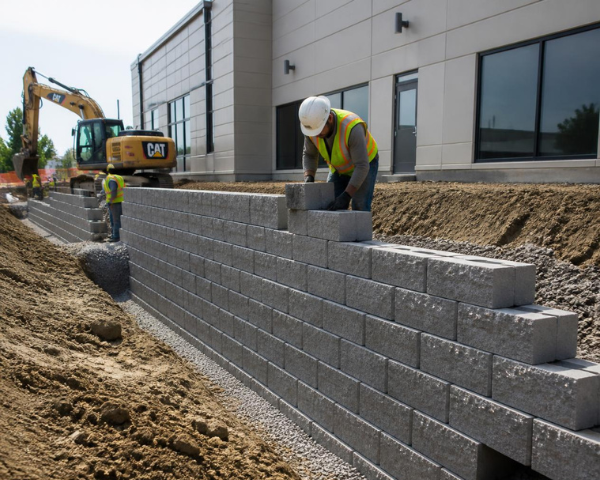
Retaining walls greater than four (4) feet in height measured from the bottom of the footing to the top of the wall and/or supporting a surcharge require building permits.

What is a Surcharge? A surcharge is a vertical load imposed on the retained soil that may impose a lateral force in addition to the lateral earth pressure of the retained soil.  Examples include sloped soil, vehicle loads supported by retained soil and fences installed on top of retaining walls.

Planning Requirements to be Aware of:

Because all fences and walls must comply with the placement, height, and appearance requirements of the Pinole Municipal Code Chapter 17.42, applicants should review the code chapter and/or contact a planner (PlanningQuestions@pinole.gov) prior to constructing any fence or wall, regardless of if a Building Permit is required or not.

Public Works Requirements to be Aware of:

  • Fences and walls must be built within your property line. Fences or walls built in the right-of-way require an encroachment permit from the Public Works Department. Failure to get permits may result in fines and removal of the structure at the owner’s expense. Did you know? Your property may not start at the sidewalk, as the City’s right-of-way could extend into your front yard. Before building, verify your property lines by checking your survey, consulting a surveyor, or contacting Public Works to confirm the location of your property lines. You can also view approximate property lines online. Taking these steps will ensure your future project is placed correctly and legally, providing peace of mind for years to come. Thank you for your attention to this important detail!
  • Sewer lateral compliance will be verified. A Building Permit will not be issued until the existing sewer lateral has been inspected, a Private Sewer Lateral Permit to repair/replace the sewer lateral for the main residence is approved or proof of issuance of a valid sewer lateral certificate of compliance is provided.

eTRAKiT Types and Associated Subtypes

  • eTRAKiT Type: Fences over 7 Feet
    • Associated Subtypes: None
  • eTRAKiT Type: CMU Wall
    • Associated Subtypes:
      • 6 feet and under
      • Over 6 feet
  • eTRAKiT Type: Retaining Walls
    • Associated Subtypes:
      • 4 feet and under
      • Over 4 feet

Requirements, Documentation and Attachments

We’ve provided a list below of what you’ll need to submit with your application when you apply online. Make sure to upload all of the required documents. If your application is not complete, this will extend the time it takes to issue your permit.

  • Plan set that includes:
    • Title page with project address, contacts, scope, date and blank area for reviewer notes
    • Overall site plan to show location of work
    • Existing and proposed elevations, including the total height and linear feet of all walls and fences
    • Sections, details, notes required to describe the scope of work
  • Structural drawings and calculations, if the project includes:
    • Retaining walls over 30”
    • CMU wall over 6 feet
    • Overhead trellis
    • Pergolas or other items that require framing details
  • A completed Submittal/Resubmittal Form
  • Contractor or Owner-Builder Declarations (required for all projects). Note that the Owner-Builder Declaration must be signed by the Property Owner electronically in docusign via the secure link above– note “Owner/Builder” Declarations are not allowed for commercial projects)
  • Accurate Valuation including total value of the work for which a permit is being issued, such as electrical, gas, mechanical, plumbing equipment, and other permanent systems, including materials and labor
  • At final, a Self-Certification Affidavit for Smoke Detectors and Carbon Monoxide Alarms completed by the property owner (residential properties only)

If you are doing heating, ventilation, or air conditioning (HVAC) work, a mechanical building permit is required.

Instant Permit Option (Same-Day Approval)

Are you replacing a gas system with an electric system, or replacing an existing electric system in-kind? You may be eligible for  Instant Residential Energy Permitting , which offers same-day approval through a simplified, fully online process for qualifying projects that support home electrification.

In addition to faster permitting, rebates may be available to help reduce project costs, including:

Express Permit Option (Expedited Review)

If your project is limited to residential replacement-in-kind (like-for-like) mechanical work, you may be eligible for the Express Permit, which provides expedited review for the following project types:

  • Residential gas furnace change-out

  • Residential gas water heater change-out

Learn more by clicking the Residential Gas Replacement HVAC and Water Heaters project type below.

All Other Residential HVAC Projects

If your residential project does not qualify for the Instant or Express Permit options, please apply for a standard mechanical permit through the City’s online permitting system.

eTRAKiT Types (this is the Permit Type you select under Permit Type Information, depending on whether the work is commercial or residential) and Associated Subtypes (this is selected under Permit Type Information)

  • eTRAKiT Type: Commercial Mechanical
    • Associated Subtypes:
      • A/C condenser replacement
      • Alteration
      • Combo new and replacement
      • Duct replacement
      • Furnace replacement
      • Heat pump replacement
      • HVAC replacement
      • Miscellaneous
      • New
  • eTRAKiT Type: Residential Mechanical
    • Please note, this type is for standard mechanical permitting. If you are interested in applying for express residential mechanical permitting for replacement in-kind work visit the Express Permit section.
    • Associated Subtypes:
      • Combo new and replacement
      • Duct or coil replacement
      • Equipment- _eg ventilation, whole house fan, etc
      • Furnace replacement – new location
      • HVAC replacement – new location
      • Miscellaneous

Requirements, Documentation and Attachments

We’ve provided a list below of what you’ll need to submit with your application when you apply online. Make sure to upload all of the required documents. If your application is not complete, this will extend the time it takes to issue your permit.

  • Furnaces:
    • CF1R Title 24 Energy Compliance Forms
    • A completed Submittal/Resubmittal Form
    • Contractor or Owner-Builder Declarations (required for all projects). Note that the Owner-Builder Declaration must be signed by the Property Owner electronically in docusign via the secure link above– note “Owner/Builder” Declarations are not allowed for commercial projects)
    • Accurate Valuation including total value of the work for which a permit is being issued, such as electrical, gas, mechanical, plumbing equipment, and other permanent systems, including materials and labor
    • At final, a Self-Certification Affidavit for Smoke Detectors and Carbon Monoxide Alarms completed by the property owner (residential properties only)
  • AC units and heat pumps:
    • Site plan showing location of unit on property (residential only)
    • Site plan showing location of unit on roof (commercial only)
    • CF1R Title 24 Energy Compliance Forms
    • A completed Submittal/Resubmittal Form
    • Contractor or Owner-Builder Declarations (required for all projects – note “Owner/Builder” Declarations are not allowed for commercial projects)
    • Accurate Valuation including total value of the work for which a permit is being issued, such as electrical, gas, mechanical, plumbing equipment, and other permanent systems, including materials and labor
    • At final, a Self-Certification Affidavit for Smoke Detectors and Carbon Monoxide Alarms completed by the property owner (residential properties only)

You need a plumbing building permit if you are doing any work with plumbing fixtures or pipes. Plumbing permits are often required when you are doing work in your kitchen or bathroom.

General plumbing upgrades, such as house replumbing do not require drawings unless they are part of a remodel project such as a bathroom remodel.

If the scope is part of a remodel project, use the Commercial Tenant Improvement or Addition permit type. If the project involves gas line extensions, drawings and equipment specifications are required to indicate locations of appliances.

If the scope of your project is limited to residential replacement in-kind (like-for-like) plumbing work, you may consider using the Express Permit type which provides expedited approvals for the following residential like-for-like plumbing subtypes:

  • Tank and Tankless Water Heaters
  • Water Line

If you need to do any work in the public right of way, including removing and replacing the sidewalk, you need an encroachment permit from the You can apply for this at the same time.

Please note that a Building Permit will not be issued until the existing sewer lateral has been inspected, a Private Sewer Lateral Permit to repair/replace the sewer lateral for the main residence is approved or proof of issuance of a valid sewer lateral certificate of compliance is provided.

eTRAKiT Types (this is the Permit Type you select under Permit Type Information, depending on whether the work is commercial or residential) and Associated Subtypes (this is selected under Permit Type Information)

  • eTRAKiT Type: Commercial Plumbing
    • Associated Subtypes:
      • Alteration
      • Drain/Waste Line Replacement
      • Gas Line Replacement
      • Miscellaneous
      • New
      • Tankless Water Heater Replacement
      • Water Heater Replacement
      • Water Line Replacement
      • Seismic gas shutoff valve
  • eTRAKiT Type: Residential Plumbing
    • Please note, this type is for standard plumbing permitting. If you are interested in applying for express residential plumbing permitting for replacement in-kind work visit the Residential Express Permits section
    • Associated Subtypes:
      • Alteration
      • Drain/waste line replacement
      • Gas line replacement
      • Miscellaneous
      • New tankless water heater
      • Seismic gas shutoff valve

Requirements, Documentation and Attachments

When you apply online, you can upload documents with your application. Make sure to upload all of the required documents. If your application is not complete, this will extend the time it takes to issue your permit.

  • Plan set that includes:
    • Title page with project address, contacts, scope, date and blank area for reviewer notes
    • Sections, details, notes required to describe the scope of work
  • Gas calculations (applicable anytime a gas line is added)
  • Material Specifications
  • A completed Submittal/Resubmittal Form
  • Contractor or Owner-Builder Declarations (required for all projects). Note that the Owner-Builder Declaration must be signed by the Property Owner electronically in docusign via the secure link above– note “Owner/Builder” Declarations are not allowed for commercial projects)
  • Accurate Valuation including total value of the work for which a permit is being issued, such as electrical, gas, mechanical, plumbing equipment, and other permanent systems, including materials and labor
  • At final, a Self-Certification Affidavit for Smoke Detectors and Carbon Monoxide Alarms completed by the property owner (residential properties only)

Separate Fire Permit May Be Required

Additionally, your project may require a separate permit from ConFire if it involves project components that need to be individually permitted, such as a fire alarm systems, sprinkler systems, fire hydrants, and deferred submittals. To initiate the permitting process you must submit an application and all required fees directly to ConFire. You can submit and make payment online, via mail or in person.

  1. First determine and complete the applicable forms required
  2. Next, calculate fees due using their Commercial or Residential Engineering Fees Schedule. To confirm fees you can email permittech@cccfpd.org.
  3. To submit application and fees you may use their portal, mail in application and payment via check or credit card authorization form or come in person Monday – Friday from 8am-5pm (Contra Costa County Fire Protection District 4005 Port Chicago Hwy, Suite 250 Concord, CA 94520).
  4. For a credit card authorization form, or any other questions, call ConFire at 925-941-3300 and talk to the operator. You can also email info@cccfpd.org.

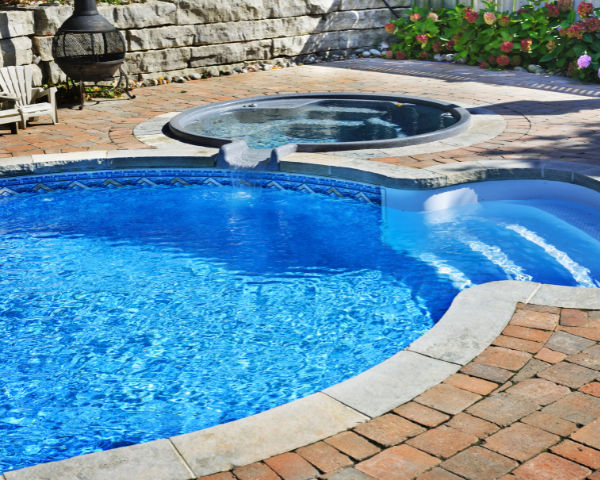
You need a permit if you are building or repairing a swimming pool. This permit type can be used for new pools, modifications to pools, hot tubs, and pool demolition.

If your project is part of a larger site improvement project, or home renovation, a separate permit may be required. Contact us to discuss at BuildingQuestions@pinole.gov.

Please contact the Planning Division at PlanningQuestions@pinole.gov if you have questions about any zoning requirements.

As of January 1, 2007, state law requires that every residence for which a building permit is issued for a new or remodeled in-ground or above-ground swimming pool; non-portable wading pool; or portable or non-portable spa or hot tub must comply with at least 2 of the following requirements if the depth is greater than 18 inches:

  • Locking covers. Pools, hot tubs, and spas must have locking covers, either manual or power-operated, that meet the ASTM specifications F1346-9.
  • Gaps or voids, if any, do not allow passage of a sphere equal to or greater than 4 inches in diameter.
  • Swimming pool alarms. Swimming pool alarms that when placed in pools, will sound upon detection of accidental or unauthorized entrance into the water. These pool alarms shall meet and be independently certified to the ASTM F 2208 which includes surface motion, pressure, sonar, laser, and infrared type alarms. For purposes of this section, “swimming pool alarms” shall not include swimming protection alarm devices designed for individual use, such as an alarm attached to a child that sounds when the child exceeds a certain distance or becomes submerged in water.
  • Any access gates shall be equipped with self-closing, self-latching devices, and open outwardly, with a release mechanism placed no lower than 60 inches above the ground.

Please note that a Building Permit will not be issued until the existing sewer lateral has been inspected, a Private Sewer Lateral Permit to repair/replace the sewer lateral for the main residence is approved or proof of issuance of a valid sewer lateral certificate of compliance is provided.

eTRAKiT Types (this is the Permit Type you select under Permit Type Information, depending on whether the work is commercial or residential) and Associated Subtypes (this is selected under Permit Type Information)

  • eTRAKiT Type: Commercial Pool and Spa
    • Associated Subtypes:
      • New
      • Repair or replacement
  • eTRAKiT Type: Residential Pool and Spa
    • Associated Subtypes:
      • New
      • Repair or replacement

Requirements, Documentation and Attachments

  • Site plan, including the following information:
    • Existing pool/spa location(s) with no changes in outside of perimeter
    • The location of pool equipment/pad, with dimension(s) to the property line
    • Height of any power lines over the pool indicated, (if applicable)
    • Dimension any structures on the property from the water line of the pool.
    • Specify equipment change-out or electrical panel upgrade to the pool equipment on the scope of work if applicable.
  • A completed Submittal/Resubmittal Form
  • Contractor or Owner-Builder Declarations (required for all projects). Note that the Owner-Builder Declaration must be signed by the Property Owner electronically in docusign via the secure link above– note “Owner/Builder” Declarations are not allowed for commercial projects)
  • Accurate Valuation including total value of the work for which a permit is being issued, such as electrical, gas, mechanical, plumbing equipment, and other permanent systems, including materials and labor
  • At final, a Self-Certification Affidavit for Smoke Detectors and Carbon Monoxide Alarms completed by the property owner (residential properties only)

You need a building permit if you are building a new house. Before you can get a building permit, you need approval from the Planning Division.

  • New residences that meet the criteria for new residences under Senate Bill 9 (SB 9) would need to obtain Planning Division approval of an application for SB 9 Unit Development.
  • New residences that do not meet the criteria for new residences under SB 9 would need to obtain Planning Division approval of a Design Review application. Please note that a Building Permit will not be issued until the existing sewer lateral has been inspected, a Private Sewer Lateral Permit to repair/replace the sewer lateral for the main residence is approved or proof of issuance of a valid sewer lateral certificate of compliance is provided.

eTRAKiT Permit Type. This is the Permit Type you select under Permit Type Information.

  • Residential New

eTRAKiT Subtypes. Next, select the proper Permit Subtype under Permit Type Information. Your options are

  • One Unit
  • Two Units
  • Three Units
  • Four Units
  • Five Units and More

Requirements, Documentation and Attachments

We’ve provided a list below of what you’ll need to submit with your application when you apply online. Make sure to upload all of the required documents. If your application is not complete, this will extend the time it takes to issue your permit.

  • Plan set that includes:
    • Title page with project address, contacts, scope, date and blank area for reviewer notes
    • Overall Site Plan / Floor plan to show location of work
    • Proposed Floor Plans
    • Proposed Elevations
    • Sections, details, notes required to describe the scope of work
    • Electrical Plans
    • Structural drawings and calculations
    • Civil drawings, grading and drainage
    • Landscape Plan
  • Geotechnical report
  • Survey, if required
  • Title 24 Residential Energy Compliance Forms if adding habitable space or mechanical equipment
  • WELO Submittal Package
  • 3 Stormwater
  • WUI Details, if required
  • Statement of Special Inspections
  • Arborists Report, if required
  • A completed Submittal/Resubmittal Form
  • Contractor or Owner-Builder Declarations (required for all projects). Note that the Owner-Builder Declaration must be signed by the Property Owner electronically in docusign via the secure link above– note “Owner/Builder” Declarations are not allowed for commercial projects)
  • Accurate Valuation including total value of the work for which a permit is being issued, such as electrical, gas, mechanical, plumbing equipment, and other permanent systems, including materials and labor
  • At final, a Self-Certification Affidavit for Smoke Detectors and Carbon Monoxide Alarms completed by the property owner (residential properties only)

Fire Review Required

Fire review is required for all new residential buildings. During plan review, if it is determined that fire review is required, your plans will be routed to the Contra Costa Fire Department (ConFire) for a life/safety plan check, and you will be informed by email that you need to initiate payment separately to ConFire.  ConFire will not begin their plan check until all required plan check fees are collected directly by ConFire. You can make payment online, via mail or in person.

  1. First calculate fees due using their Commercial or Residential Engineering Fees Schedule. To confirm fees you can email permittech@cccfpd.org.
  2. To submit fees you may use their portal, mail in payment via check or credit card authorization form or come in person Monday – Friday from 8am-5pm (Contra Costa County Fire Protection District 4005 Port Chicago Hwy, Suite 250 Concord, CA 94520).
  3. For a credit card authorization form, or any other questions, call ConFire at 925-941-3300 and talk to the operator. You can also email info@cccfpd.org.

Separate Fire Permit May Be Required

Additionally, your project may require a separate permit from ConFire if it involves project components that need to be individually permitted, such as a fire alarm systems, sprinkler systems, fire hydrants, and deferred submittals. To initiate the permitting process you must submit an application and all required fees directly to ConFire. You can submit and make payment online, via mail or in person.

  1. First determine and complete the applicable forms required
  2. Next, calculate fees due using their Commercial or Residential Engineering Fees Schedule. To confirm fees you can email permittech@cccfpd.org.
  3. To submit application and fees you may use their portal, mail in application and payment via check or credit card authorization form or come in person Monday – Friday from 8am-5pm (Contra Costa County Fire Protection District 4005 Port Chicago Hwy, Suite 250 Concord, CA 94520).
  4. For a credit card authorization form, or any other questions, call ConFire at 925-941-3300 and talk to the operator. You can also email info@cccfpd.org.

The City will not issue a Building Permit until approval from ConFire has been received.

Other Permits May Be Required

Depending on the nature of your project, you may need to get other permits, like:

  • Solar PV systems
  • Temporary Power Pole/Back-up Power (a subtype of Residential Electrical Permit Type)
  • A Public Works Encroachment Permit may be required for the following, including but not limited to: driveway approaches (curb cuts), sidewalks, work in city easements, concrete flatwork, temporary storage containers, debris boxes, landscaping adjacent to the sidewalk, etc.
  • Public Works Private Sewer Lateral Permits are required for sewer lateral video reviews, installation of new sewer lateral, replacement and/or repairs to sewer lateral. Please note that this may be required to apply for most building applications.
  • Temporary Construction Trailer
  • Demolition

Please reach out to the Planning Division (PlanningQuestions@pinole.gov) and Public Works Department (pwpermits@pinole.gov) early in project development to avoid delays and/or penalties.

Residential gas-to-gas replacement (like-for-like) HVAC and water heater permits are not eligible for Instant Permitting and must be submitted through the City’s e-TRAKiT system. *Note, currently only contractors may apply for this permit type. If you are a homeowner and would like to apply for this permit type, email Building Official Keith Marks.

Note: Are you replacing a residential gas system with an electric system, or replacing an existing electric system in-kind? You may be eligible for  Instant Residential Energy Permitting, which offers same-day approval through a simplified, fully online process for qualifying projects that support home electrification.

In addition to faster permitting, rebates may be available to help reduce project costs, including:

If your project is limited to residential replacement-in-kind (like-for-like) mechanical work, you may be eligible for the Express Permit, which provides expedited review for the following project types:

  • Residential gas furnace change-out

  • Residential gas water heater change-out

TRAKiT Types (this is the Permit Type you select under Permit Type Information)

  • eTRAKiT Type: Residential gas furnace change-out
  • eTRAKiT Type: Residential gas water heater change-out

Requirements, Documentation and Attachments

We’ve provided a list below of what you’ll need to submit with your application when you apply online. Make sure to upload all of the required documents. If your application is not complete, this will extend the time it takes to issue your permit.

  • Furnaces:
    • CF1R Title 24 Energy Compliance Forms
    • A completed Submittal/Resubmittal Form
    • Contractor or Owner-Builder Declarations (required for all projects). Note that the Owner-Builder Declaration must be signed by the Property Owner electronically in docusign via the secure link above– note “Owner/Builder” Declarations are not allowed for commercial projects)
    • Accurate Valuation including total value of the work for which a permit is being issued, such as electrical, gas, mechanical, plumbing equipment, and other permanent systems, including materials and labor
    • At final, a Self-Certification Affidavit for Smoke Detectors and Carbon Monoxide Alarms completed by the property owner (residential properties only)
  • AC units and heat pumps:
    • Site plan showing location of unit on property (residential only)
    • Site plan showing location of unit on roof (commercial only)
    • CF1R Title 24 Energy Compliance Forms
    • A completed Submittal/Resubmittal Form
    • Contractor or Owner-Builder Declarations (required for all projects – note “Owner/Builder” Declarations are not allowed for commercial projects)
    • Accurate Valuation including total value of the work for which a permit is being issued, such as electrical, gas, mechanical, plumbing equipment, and other permanent systems, including materials and labor
    • At final, a Self-Certification Affidavit for Smoke Detectors and Carbon Monoxide Alarms completed by the property owner (residential properties only)


The residential remodel or alteration permit type is a catch-all permit type. This type should be used for anything from a small bathroom or kitchen remodel to a full house renovation or addition.

Please note! If your project is very limited in scope, for example, fencing work, window replacement, upgrade to electrical, adding lights to a space, replacing HVAC, etc., you may consider using the following types/subtypes:

  • Fences, CMU walls, retaining walls
  • Pools and Spas
  • Residential Electrical (Complete rewire, Fixture replacement, New fixtures, Service panel upgrade, Subpanel replace/relocate, Residential Backup power)
  • Residential Express Permits  like-for-like residential replacement expedited approvals for Air Conditioner – Condenser, Electric Service Panel Change Out, Exterior Finishes – Not Old Town, Forced Air Unit, HVAC – Package Unit, HVAC – Split System/Heat Pump, Photovoltaic Reinstall, Reroof – Not Old Town, Wall or Floor Furnace, Tank and Tankless Water Heaters, Water Line)
  • Residential Mechanical (New and replacement, Duct or coil replacement, Equipment, eg ventilation, whole house fan, Furnace replacement – new location, HVAC replacement – new location
  • Residential Miscellaneous (Insulation)
  • Residential Plumbing (Alteration, Drain/waste line replacement, Gas line replacement, New tankless water heater, Seismic gas shutoff valve)
  • Residential Solar
  • Siding or Stucco Replacement – Old Town (Change of Material and Like for Like)
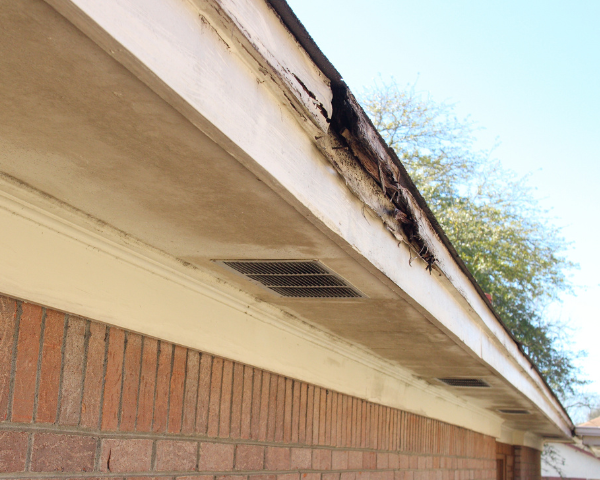
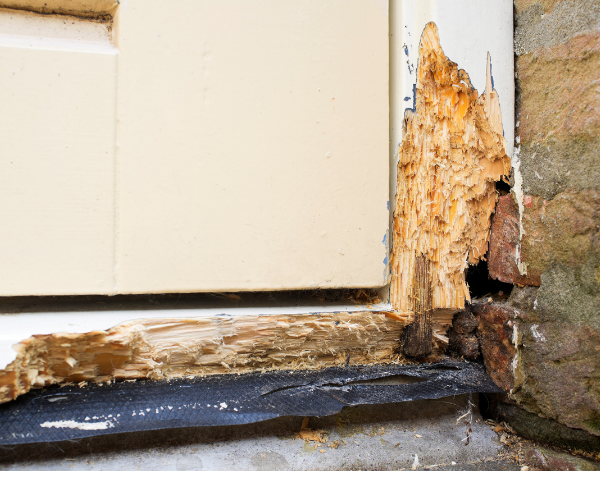
  • Termite/Dry Rot Repair

Floor area additions to residences require approval of Design Review application from the Planning Division before building permit approval.

Although a Design Review application is not required for proposed remodels that reduce the size or number of garage/covered parking spaces and for increasing the number of bedrooms without expanding the existing residence, it is recommended that applicants check with the Planning Division. Contact planningquestions@pinole.gov to discuss your project.

Please note that a Building Permit will not be issued until the existing sewer lateral has been inspected, a Private Sewer Lateral Permit to repair/replace the sewer lateral for the main residence is approved or proof of issuance of a valid sewer lateral certificate of compliance is provided.

eTRAKit Type. This is the Permit Type you select under Permit Type Information

  • Residential remodel or alteration

eTRAKit  and Subtypes. Next, select the proper Permit Subtype under Permit Type Information. Your options are:

  • Addition
  • Remodel/alteration – like for like
  • Remodel/alteration – change in existing floor plan
  • Remodel/alteration and addition

Requirements, Documentation and Attachments

We’ve provided a list below of what you’ll need to submit with your application when you apply online. Make sure to upload all of the required documents. If your application is not complete, this will extend the time it takes to issue your permit.

  • Plan set that includes:
    • Title page with project address, contacts, scope, date and blank area for reviewer notes
    • Overall Site Plan / Floor plan to show location of work
    • Existing and Proposed Floor Plans
    • Existing and Proposed Elevations
    • Sections, details, notes required to describe the scope of work
    • Electrical Plans of remodel area
    • Structural drawings and calculations
  • Statement of Special Inspections
  • Geotechnical report, if required
  • Survey, if footprint of building is expanding
  • Title 24 Residential Energy Compliance Forms if adding habitable space or Mechanical equipment
  • Landscape Plan, if required
  • WELO, if required
  • C.3 Stormwater, if required
  • A completed Submittal/Resubmittal Form
  • Contractor or Owner-Builder Declarations (required for all projects). Note that the Owner-Builder Declaration must be signed by the Property Owner electronically in docusign via the secure link above– note “Owner/Builder” Declarations are not allowed for commercial projects)
  • Accurate Valuation including total value of the work for which a permit is being issued, such as electrical, gas, mechanical, plumbing equipment, and other permanent systems, including materials and labor
  • At final, a Self-Certification Affidavit for Smoke Detectors and Carbon Monoxide Alarms completed by the property owner (residential properties only)

Note, for smaller scope projects, such as bathroom, kitchen and interior remodels, typical required submittal documents include:

  • Title page with project address, contacts, scope, date and blank area for notes
  • Existing and Proposed Floor Plans
  • Electrical Plans of remodeled area
  • Structural drawings and calculations, if opening or moving walls provide framing information
  • A completed Submittal/Resubmittal Form
  • Contractor or Owner-Builder Declarations (required for all projects – note “Owner/Builder” Declarations are not allowed for commercial projects)
  • Accurate Valuation including total value of the work for which a permit is being issued, such as electrical, gas, mechanical, plumbing equipment, and other permanent systems, including materials and labor
  • At final, a Self-Certification Affidavit for Smoke Detectors and Carbon Monoxide Alarms completed by the property owner (residential properties only)

Fire Review May be Required

Fire review may be required based on the scope of work. During plan review, if it is determined that fire review is required, your plans will be routed to the Contra Costa Fire Department (ConFire) for a life/safety plan check, and you will be informed by email that you need to initiate payment separately to ConFire. ConFire will not begin their plan check until all required plan check fees are collected directly by ConFire. You can make payment online, via mail or in person.

  1. First calculate fees due using their Commercial or Residential Engineering Fees Schedule. To confirm fees you can email permittech@cccfpd.org.
  2. To submit fees you may use their portal, mail in payment via check or credit card authorization form or come in person Monday – Friday from 8am-5pm (Contra Costa County Fire Protection District 4005 Port Chicago Hwy, Suite 250 Concord, CA 94520).
  3. For a credit card authorization form, or any other questions, call ConFire at 925-941-3300 and talk to the operator. You can also email info@cccfpd.org.

Separate Fire Permit May Be Required

Additionally, your project may require a separate permit from ConFire if it involves project components that need to be individually permitted, such as a fire alarm systems, sprinkler systems, fire hydrants, and deferred submittals. To initiate the permitting process you must submit an application and all required fees directly to ConFire. You can submit and make payment online, via mail or in person.

  1. First determine and complete the applicable forms required
  2. Next, calculate fees due using their Commercial or Residential Engineering Fees Schedule. To confirm fees you can email permittech@cccfpd.org.
  3. To submit application and fees you may use their portal, mail in application and payment via check or credit card authorization form or come in person Monday – Friday from 8am-5pm (Contra Costa County Fire Protection District 4005 Port Chicago Hwy, Suite 250 Concord, CA 94520).

For a credit card authorization form, or any other questions, call ConFire at 925-941-3300 and talk to the operator. You can also email info@cccfpd.org.

You need a permit if you are installing a new roof or repairing an existing roof. The Permit type you’ll select depends on if the roof is residential or commercial, and if the structure is inside or outside of Old Town Pinole. If you are building a new roof as part of a larger project, the permit would fall under the residential or commercial permit for the structure.

Reroofs in the Old Town area that are not like-for-like replacements are required to meet applicable guidelines in the Old Town Design Guidelines. An applicant may be required to provide samples of roofing materials where changes to roofing materials in the Old Town area are proposed.

Please note that a Building Permit will not be issued until the existing sewer lateral has been inspected, a Private Sewer Lateral Permit to repair/replace the sewer lateral for the main residence is approved or proof of issuance of a valid sewer lateral certificate of compliance is provided.

eTRAKiT Types and Associated Subtypes

  • Type of Project and Location in Pinole: Commercial, regardless of location in Pinole
    • eTRAKiT Roofing Types. This is the Permit Type you select under Permit Type Information, depending on whether the work is commercial or residential: Commercial Re-roof 
    • Associated Subtypes: None
  • Type of Project and Location in Pinole: Residential, and in Old Town
    • eTRAKiT Roofing Types. This is the Permit Type you select under Permit Type Information, depending on whether the work is commercial or residential: Residential Reroof – Old Town
    • Associated Subtypes: None
  • Type of Project and Location in Pinole: Residential, outside of Old Town
    • eTRAKiT Roofing Types. This is the Permit Type you select under Permit Type Information, depending on whether the work is commercial or residential: Residential Express Permit
    • Associated Subtypes: Reroof-Not in Old Town

Requirements, Documentation and Attachments

We’ve provided a list below of what you’ll need to submit with your application when you apply online. Make sure to upload all of the required documents. If your application is not complete, this will extend the time it takes to issue your permit.

  • For roofs other than standard composition shingles, provide the manufacturer’s installation instructions, the ESRI report, or Listing Documentation.
  • Roofing materials samples may be required where changes to roofing materials in the Old Town area are proposed.
  • A completed Submittal/Resubmittal Form
  • Contractor or Owner-Builder Declarations (required for all projects). Note that the Owner-Builder Declaration must be signed by the Property Owner electronically in docusign via the secure link above– note “Owner/Builder” Declarations are not allowed for commercial projects)
  • Accurate Valuation including total value of the work for which a permit is being issued, such as electrical, gas, mechanical, plumbing equipment, and other permanent systems, including materials and labor
  • At final, a Self-Certification Affidavit for Smoke Detectors and Carbon Monoxide Alarms completed by the property owner (residential properties only)

You need a seismic or structural upgrade permit if your project involves:

Please note that a Building Permit will not be issued until the existing sewer lateral has been inspected, a Private Sewer Lateral Permit to repair/replace the sewer lateral for the main residence is approved or proof of issuance of a valid sewer lateral certificate of compliance is provided.

eTrakit Type. This is the Permit Type you select under Permit Type Information.

  • Residential Foundation/Seismic Upgrade

Subtypes. Next, select the proper Permit Subtype under Permit Type Information. Your options are:

  • New
  • Repair
  • Seismic Upgrade

Requirements, Documentation and Attachments

We’ve provided a list below of what you’ll need to submit with your application when you apply online. Make sure to upload all of the required documents. If your application is not complete, this will extend the time it takes to issue your permit.

  • Plan set that includes:
    • Title page with project address, contacts, scope, date and blank area for reviewer notes
    • Overall Site Plan / Floor plan to show location of work
    • Sections, details, notes required to describe the scope of work
    • Structural drawings and calculations
  • For Brace and Bolt program, in lieu of above requirements a completed Standard Planset A
  • A completed Submittal/Resubmittal Form
  • Contractor or Owner-Builder Declarations (required for all projects). Note that the Owner-Builder Declaration must be signed by the Property Owner electronically in docusign via the secure link above– note “Owner/Builder” Declarations are not allowed for commercial projects)
  • Accurate Valuation including total value of the work for which a permit is being issued, such as electrical, gas, mechanical, plumbing equipment, and other permanent systems, including materials and labor
  • At final, a Self-Certification Affidavit for Smoke Detectors and Carbon Monoxide Alarms completed by the property owner (residential properties only)

If you decide to make changes to your approved plans, these changes must be reviewed by the Building Division, as well as all other Departments/Divisions/Agencies that originally reviewed and approved the original permit. Please note that additional fees are required for this review.

To apply for a Revision to Approved Plans (RAP) permit in Pinole’s eTRAKiT system:

  1. Select the Revision to Approved Plans permit type, and the Other subtype.
  2. Provide information as required, including the Revision to Approved Plans form.
  3. Pay required fees.

You will receive an email from staff regarding next steps; you may not start work until you’ve received approval from the Building Division.

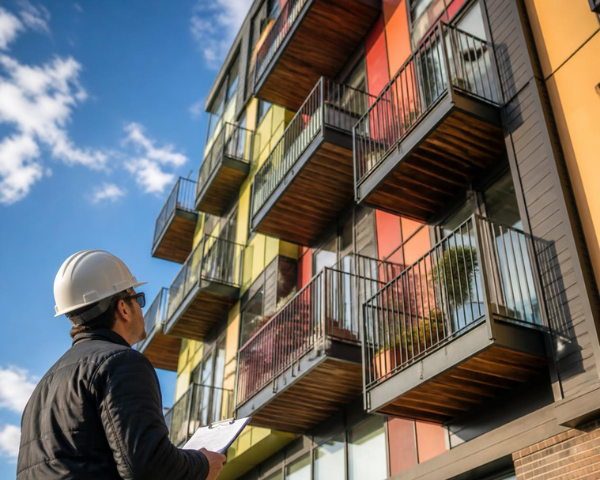
Apartments 3 or More Units- SB 721 Compliance: SB 721 requires periodic inspections of exterior elevated elements (EEEs) in multifamily residential rental buildings, specifically applying to apartment buildings and other rental properties with three or more units. These inspections focus on structural components such as balconies, decks, walkways, and stairways that are more than 6 feet above ground level.

Under SB 721, an Initial Compliance Report must be prepared and submitted to the local building jurisdiction. Reports must be completed by a qualified licensed professional—such as a structural engineer, architect, or appropriately licensed contractor—and must document the condition of the elements, identify any deficiencies, and specify required repairs. If deficiencies are found, follow-up inspections and documentation may be required to demonstrate compliance. Applicants are responsible for verifying that all requirements under SB 721 are met.

Condos and Townhomes- SB 326 Compliance: SB 326 requires periodic inspections of exterior elevated elements (EEEs) in common-interest developments, specifically applying to condominiums with three or more units. These inspections focus on shared structural components such as balconies, decks, walkways, and stairways that are more than 6 feet above ground level.

Under SB 326, a Structural Integrity Report must be completed for the homeowners association (HOA) and incorporated into the association’s reserve study. Reports must be prepared by a licensed structural engineer or architect and must evaluate the condition, remaining service life, and any necessary repairs for the inspected elements. If deficiencies are identified, follow-up inspections and repair documentation may be required to demonstrate compliance. Applicants are responsible for verifying that all requirements under SB 326 are met.

eTRAKiT Types and Associated Subtypes

Type of Project: Structural Integrity Report for condominium buildings with three or more units (SB 326 compliance)

  • eTRAKiT type (this is the Permit Type you select under Permit Type information):
    • State Balcony and Elevated Walkway Compliance
  • Associated Subtype (this is the Subtype under Permit Type information):
    • Condos and Townhomes- SB 326 Compliance

Type of Project: Structural Integrity Report for apartment buildings with three or more units (SB 721 compliance)

  • eTRAKiT type (this is the Permit Type you select under Permit Type information):
    • State Balcony and Elevated Walkway Compliance
  • Associated Subtype (this is the Subtype under Permit Type information):
    • Apartments 3 or More Units- SB 721 Compliance

Requirements, Documentation and Attachments

We’ve provided a list below of what you’ll need to submit with your application when you apply online. Make sure to upload all of the required documents.

  • Structural Integrity Report prepared in compliance with SB 721 or SB 326

All balconies located on real property in the City of Pinole including but not limited to residential, multiple residential, commercial and industrial properties shall be inspected at the property owner’s expense when a triggering event occurs. This is a separate process from the State-required inspections of balconies at condominiums and apartments under SB 326 and SSB 721.

Triggering Events: The following are triggering events that require all balconies located on real property in the City of Pinole including but not limited to residential, multiple residential, commercial and industrial properties to be inspected as required in PMC Chapter 8.36 and at the property owner’s expense:

  • The application for a certificate of occupancy for a new building.
  • transfer of property ownership.
  • In a probate or other testamentary proceeding or in the event of a transfer pursuant to the terms of joint tenancy termination, tenants in common termination, or other similar instrument, within one hundred eighty (180) days after the sale, transfer or conveyance of the house, building or property.

eTRAKiT Types and Associated Subtypes

Type of Project: Balcony inspection required due to a triggering event occurring (i.e., application for certificate of occupancy, transfer of property ownership, or in probate.

  • eTRAKiT type (this is the Permit Type you select under Permit Type information):
    • Pinole Balcony Compliance

Requirements, Documentation and Attachments

We’ve provided a list below of what you’ll need to submit with your application when you apply online. Make sure to upload all of the required documents.

  • Balcony Inspection Report prepared in compliance with City of Pinole Municipal Code Chapter 8.36 (i.e., the inspection shall be conducted by a licensed general contractor, structural pest control licensee, licensed architect, or licensed engineer qualified to inspect and identify deficiencies in the structural integrity of balconies; the licensed professional must have both a City of Pinole business license and a license in the applicable trade from State of California).

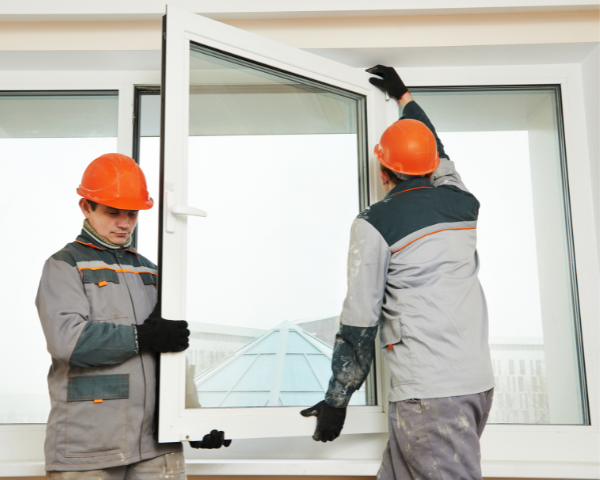
You need a permit if you are replacing exterior doors or windows. This includes garage doors.  Projects in the Old Town area that are not like-for-like replacements are required to meet applicable guidelines in the . For projects that propose new materials or changes to size/location are encouraged to contact planningquestions@pinole.gov to discuss your project prior to submitting a Building Permit application.

If your project includes other renovations, such as a kitchen or bath remodel, use the Residential Remodel or Alteration Permit Type.

Replacement or new windows in sleeping rooms need to meet the minimum requirements for emergency egress:

  • 20” clear opening width
  • 24” clear opening height
  • 0 sf clear net opening area
  • 7 sf clear net opening area above the grade level
  • Max sill height of 44” above the finished floor
  • Exception: sash replacement only, in an existing opening that does not reduce the opening. See CRC section R310 for more information.

eTRAKiT Types (this is the Permit Type you select under Permit Type Information, depending on whether the work is commercial or residential) and Associated Subtypes (this is selected under Permit Type Information)

  • eTRAKiT Type: Commercial Tenant Improvement or Addition
    • Associated Subtypes:
      • Tenant improvement only – all other
      • Tenant improvement only – all other
  • eTRAKiT Type: Residential windows and doors replacement
    • Associated Subtypes:
      • New
      • Replacement – Not Old Town
      • Replacement – Old Town

Requirements, Documentation and Attachments

  • Floor plan showing each room on every floor with window and door locations and sizes
  • Title 24 energy code CF1&CF2R forms
  • If nail-on windows, framing plans
  • A completed Submittal/Resubmittal Form
  • Contractor or Owner-Builder Declarations (required for all projects). Note that the Owner-Builder Declaration must be signed by the Property Owner electronically in docusign via the secure link above– note “Owner/Builder” Declarations are not allowed for commercial projects)
  • Accurate Valuation including total value of the work for which a permit is being issued, such as electrical, gas, mechanical, plumbing equipment, and other permanent systems, including materials and labor
  • At final, a Self-Certification Affidavit for Smoke Detectors and Carbon Monoxide Alarms completed by the property owner (residential properties only)